Getting started
This quick start walks through installing Vidsy.ai and running your first analysis.
Install
- Download the Windows installer from the download page.
- Run the installer on a Windows 11 x64 machine (GPU recommended best performances).
- Launch Vidsy.ai and allow the application to install the engine and template project on first run.
note
Both the engine and template downloads are rather large (about 2.5GB in total), so this might take some time
First analysis: recorded videos
Process a video that has already been recorded.
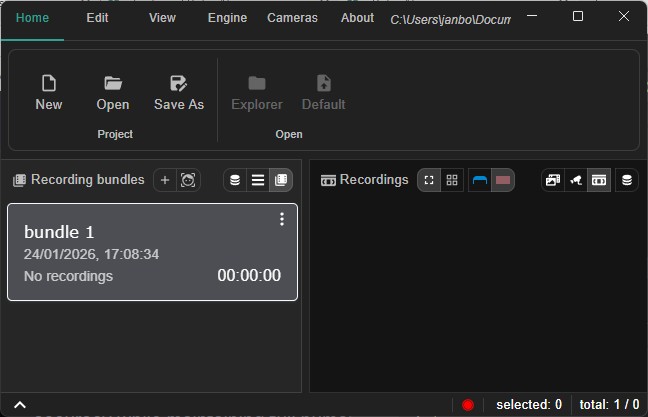
- Open the app and, from the 'View' menu, select videos mode.
- Create a recording bundle: click on the
+sign next to the titlerecording bundles - Add one or more
.mp4inspection runs: drag the files from explorer and drop them on the bundle card or click on the context menu of the bundle card and select to add files. - Click Analyze (next to the
+sign) to process the footage and view detected events and measurements.
tip
For best performance, install the latest GPU drivers and use a machine with an NVIDIA GPU when available.
Keep it local
- All processing runs locally; no footage leaves the site.
- GPU acceleration speeds up both live and recorded analysis.
info
Vidsy.ai is designed for offline-first field work: you can capture, analyze, and review without relying on site connectivity.